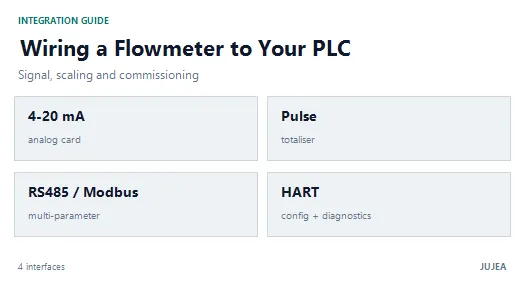
An electromagnetic flowmeter rarely fails at the sensor. It fails at the interface: a 4–20 mA loop with too much resistance, a pulse output the PLC counts twice, a Modbus port with the wrong parity, or a HART device nobody can poll. This guide covers the four interfaces you will actually wire — 4–20 mA, pulse/frequency, RS485/Modbus RTU and HART — and the commissioning sequence that makes them work first time.
Short answer: choose the interface from the control system backwards, not from the meter forwards. Use 4–20 mA for a single flow value into an analog card, pulse for totalising and batching, RS485/Modbus RTU for multi-parameter data and diagnostics, and HART when you need configuration and asset data on an existing 4–20 mA loop. Confirm three documents before wiring: the wiring diagram, the I/O specification, and the register map version.
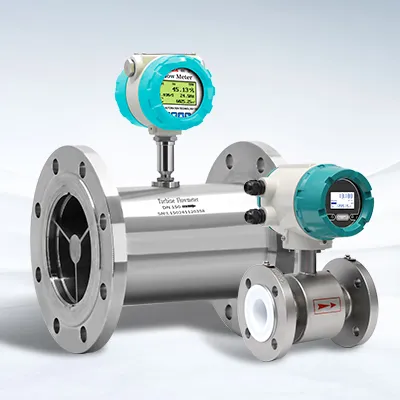
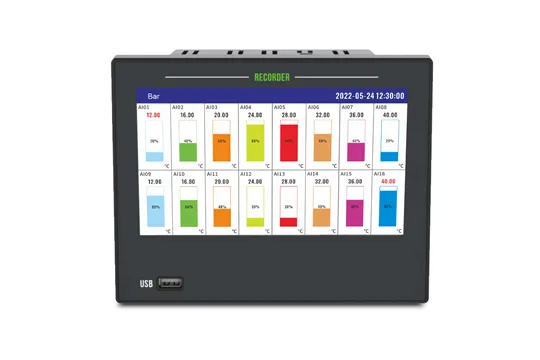
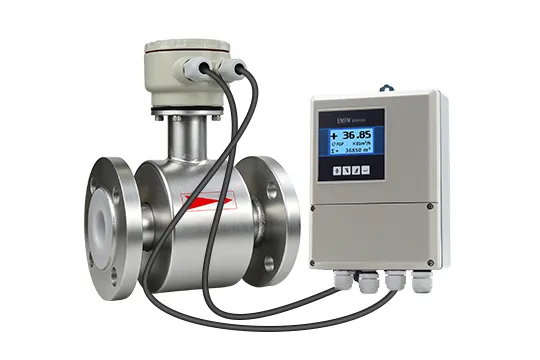
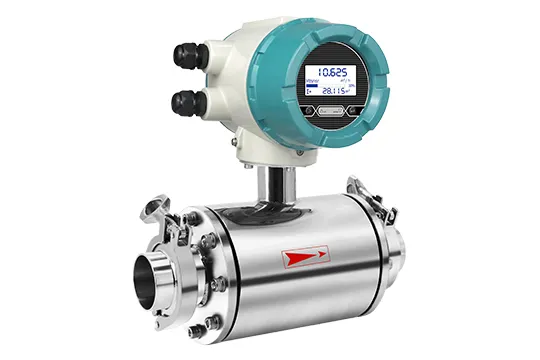
Four interfaces, one converter — choose the one your control system can commission.
Interface Selection at a Glance
Interface | What it carries | Best for | Main limitation | Confirm before ordering |
4–20 mA | One analog value (flow rate) | PLC analog input, DCS, recorder | One variable only; loop resistance and grounding matter | Active or passive output; maximum loop resistance |
Pulse / frequency | Totalised volume or frequency | Batching, dosing, totalisers, energy calculation | Pulse width and input card speed; noise on long runs | Maximum frequency; volume per pulse range |
RS485 / Modbus RTU | Multiple parameters, diagnostics, configuration | SCADA, PLC networks, remote monitoring | Half-duplex bus; termination, addressing and register mapping | Register map and version; parity/baud defaults |
HART | Digital data superimposed on 4–20 mA | Configuration, diagnostics, asset management | Needs loop resistance and a HART host; slow for control | Device description availability; polling address |
Bluetooth | Local configuration and reading | Commissioning via phone or tablet | Not a control interface; short range | App support and access control |
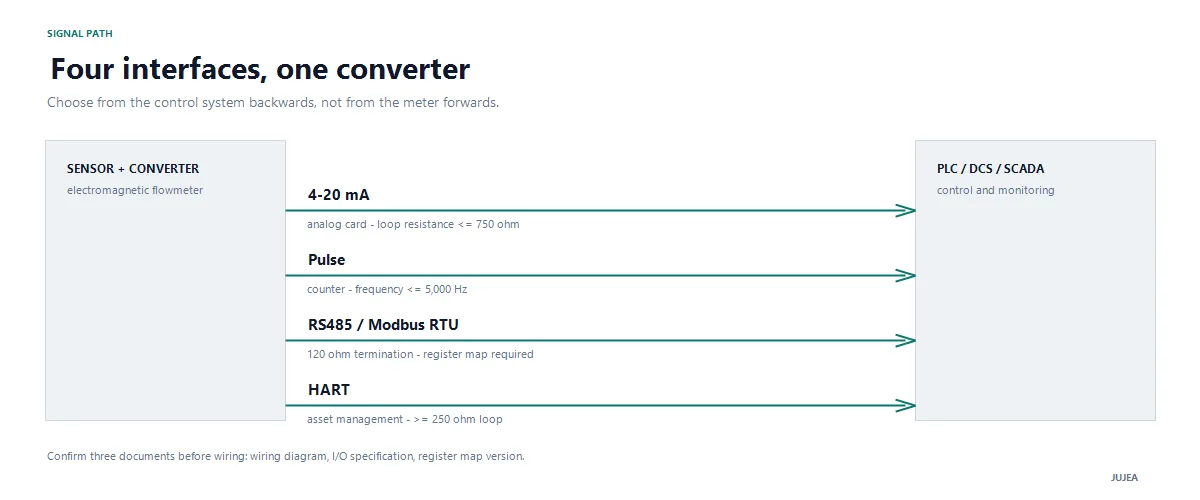
Each interface has its own electrical limits; confirm them before wiring.
Before You Wire: Six Decisions
If the meter itself is not yet selected, start with how to select an electromagnetic flowmeter — the interface follows the process and the control system, not the other way round.
Power and output type. Confirm the supply (this product family uses 100–240 VAC) and whether the current output is active (converter-powered) or passive (loop-powered). The wiring is different, and a passive output wired as active will not work.
Control-system inventory. Write down the analog input card's input impedance, the pulse input's maximum frequency, whether the PLC port is RS485 or RS232, and whether the DCS supports HART.
Cable route. Keep signal cables away from motor, VFD and heater cables. Use shielded twisted pairs for analog and pulse; use a proper RS485 cable (twisted pair with characteristic impedance around 120 Ω) for the bus.
Grounding plan. The sensor needs a defined reference to the medium — grounding electrodes or grounding rings. The cable shield is normally grounded at one end to avoid a ground loop. Decide this before pulling cable, not after the first unstable reading.
Protocol ownership. Agree who sets the Modbus address, baud rate and register map: you or the controls contractor. Ambiguity here causes most "the meter does not communicate" calls.
Scaling conventions. Fix the flow unit, the 4 mA and 20 mA endpoints, the pulse volume and the totaliser unit in writing. Most "wrong reading" complaints are scaling errors, not meter errors.
4–20 mA: The Analog Loop
The 4–20 mA output is still the most common interface because every PLC and DCS has an analog card. It carries one variable — normally flow rate — and it is also the physical layer that HART rides on.
Wiring checks. Confirm the output type first. For an active output, the converter supplies the current and the PLC card is a passive load. For a passive output, the loop power comes from the control system or an isolator. Then calculate the total loop resistance: card input resistance + cable resistance + any barrier or isolator must stay within the converter's rated maximum (750 Ω for this product family). If the total is too high, the output will clip at the top of the range.
Scaling. Set the 4 mA and 20 mA values in the converter to match the PLC's engineering range. Write both numbers down. If 20 mA is set to the meter's full-scale flow but the PLC expects a different span, every reading will be wrong by a constant ratio — a failure that looks like a calibration problem but is a configuration problem.
Damping. Damping smooths the reading for a noisy process, but too much damping hides real changes and delays alarms. Set it from the process time constant, not from the default.
Troubleshooting the loop.
Reading at the PLC | Likely cause | Check |
0 mA | Open loop, no power, blown fuse, wrong terminals | Supply voltage, fuse, terminal torque, continuity |
Below 4 mA | Under-range, empty pipe, reverse flow with clipping | Process condition, empty-pipe alarm, range setting |
Above 20 mA | Over-range or short circuit | Actual flow versus configured span |
Unstable, drifting | Ground loop, shield problem, VFD noise | Shield termination, grounding, cable route |
Correct at 4 mA, wrong at 20 mA | Span mismatch | Configured endpoints versus PLC scaling |
If the loop checks out but the meter still reports a fault, the alarm codes and sensor-side checks are covered in electromagnetic flowmeter troubleshooting.
Pulse and Frequency Output
The pulse output is for counting, not for reading: each pulse represents a fixed volume, and the PLC or totaliser counts edges. It is the right interface for batching, dosing and custody-style totalising.
Scaling. Set the volume per pulse within the converter's range (this product family supports 0.001 L to 1 m³ per pulse). Choose a pulse volume that keeps the frequency within both the converter's maximum (5,000 Hz) and the input card's limit at maximum flow. A pulse volume that is too small saturates the output at high flow; one that is too large loses resolution at low flow.
Counting. Use a hardware counter or a high-speed input, not a slow PLC scan. A scan that misses edges under-counts silently — the worst kind of error because the total looks plausible.
Noise and bounce. Use shielded cable, keep the run short, and enable input filtering or debounce only as much as the pulse width allows. Excessive debounce at high frequency turns real pulses into missing volume.
Symptom | Likely cause | Check |
No pulses | Wrong polarity, missing pull-up, output disabled | Terminal polarity, output configuration, counter input |
Double counting | Contact bounce or scanning artefact | Hardware counter, debounce setting, pulse width |
Missing pulses at high flow | Frequency above card limit, pulse too narrow | Maximum frequency, pulse width, volume per pulse |
Total drifts from analog reading | Different scaling or units | Volume per pulse versus 4–20 mA span |
RS485 / Modbus RTU
Modbus RTU over RS485 is the interface that gives you more than flow: totaliser, diagnostics, alarm status and configuration. It is also the interface with the most ways to fail silently.
Physical layer. RS485 is a half-duplex, two-wire bus. Use a twisted pair with the correct characteristic impedance, keep the A/B polarity consistent, and terminate the bus at both physical ends with 120 Ω resistors when the run is long. Add bias resistors if the bus floats. Provide a common ground reference — RS485 tolerates ground differences far less than people assume.
Parameters that must match. Address, baud rate, data bits, stop bits and parity must be identical at both ends. The device address must be unique on the bus (1–247; address 0 is broadcast and should not be used for polling). If one device answers and another does not, compare the parameters before suspecting the meter.
Baud rate and distance. Lower baud rates tolerate longer cables. A bus can run to roughly 1,200 m at moderate baud rates under good conditions; beyond that, use a repeater or convert to fibre. Long stubs and star wiring cause reflections — daisy-chain the bus instead.
Register mapping. This is where most projects lose a day. Ask the supplier for the register map with a version number, and confirm:
whether values are 16-bit integers or 32-bit floats;
the word order for 32-bit values (big-endian versus little-endian);
the scaling factor for each register (for example, flow in 0.01 m³/h);
which registers are read-only and which require a password;
whether the map has changed between firmware versions.
Do not guess a register map from a similar model. A wrong word order produces a plausible but wrong number — worse than no reading at all.
Polling. Read only the registers you need, at a rate the device can sustain. Add timeouts and retries, and log CRC errors: a rising CRC error count is the earliest warning of a wiring or termination problem. The same register set can be polled by a data logger or gateway, which is how remote monitoring is usually added without changing the meter.
Symptom | Likely cause | Check |
No response | A/B reversed, wrong address, wrong baud or parity | Swap A/B, compare parameters, scan the bus |
CRC errors | Noise, missing termination, ground difference | Shield, 120 Ω termination, common reference |
Intermittent dropouts | Star wiring, long stub, marginal power | Bus topology, stub length, supply |
Values plausible but wrong | Register scaling or word order | Map version, 32-bit word order, scaling factor |
HART
HART superimposes a digital signal on the 4–20 mA loop. The analog current still carries flow; the digital channel carries configuration, diagnostics and secondary variables.
Point-to-point versus multidrop. In point-to-point mode, one device per loop, the current carries the process value and HART is used for configuration and diagnostics. In multidrop mode, the current is fixed and only digital communication is used; each device needs a unique polling address. For control, point-to-point is the normal choice.
Loop resistance. HART communication needs sufficient loop resistance — typically at least 250 Ω — to develop the signal. If the PLC card has a low input impedance, add a resistor or use a HART-compatible isolator, and confirm the total stays within the converter's 750 Ω limit.
Device description. Ask whether a HART DD or FDI file is available for your host. Without it, a handheld may still read basic variables, but the full parameter menu may not appear.
Coexistence with the analog card. Some analog cards are disturbed by the HART signal. If the reading twitches during communication, add a HART filter or use a HART-capable input module.
PLC / DCS Integration Checklist
Item | What to record |
Signal type | 4–20 mA, pulse, RS485 or HART |
Card specification | Input impedance, pulse frequency limit, port type |
Range and scaling | 4 mA value, 20 mA value, flow unit |
Pulse scaling | Volume per pulse, counter mode, debounce |
Bus parameters | Address, baud, data bits, stop bits, parity |
Register map | Version, data type, word order, scaling |
Alarms | Empty pipe, excitation fault, high/low flow |
As-built record | Parameter list and date, stored with the project file |
Commissioning in Eight Steps
Mechanical check. Confirm straight runs, electrode orientation, full pipe and grounding before power is applied.
Power up. Verify the supply within rating, the display and any self-test.
Enter sensor data. Line size, calibration factor and flow unit — from the calibration certificate, not from memory.
Set process behaviour. Damping, low-flow cutoff and empty-pipe threshold for the actual medium.
Zero check. Full pipe, no flow, after the meter has warmed up. Record the zero value; adjust only if the manual allows it.
Configure outputs. 4–20 mA endpoints, pulse volume, RS485 parameters, HART address.
Loop check. Verify 4 mA and 20 mA at the PLC (or simulate), count pulses against a known volume, and read one register over Modbus.
Record as-built. Store the parameter list, register map version and scaling in the project file — the next engineer will need it.
What to Ask the Supplier
A wiring diagram that shows terminal numbers and output type.
An I/O specification: loop resistance, pulse frequency, protocol support.
The Modbus register map with version and data types.
The HART DD/FDI file, if HART is used.
A factory test record showing the output values at defined flow points.
If any of these is missing, the integration risk moves to your commissioning team. The same documents are part of supplier vetting; the electromagnetic flowmeter manufacturer checklist covers what to verify before the order.
References and Further Reading
MODBUS over Serial Line Specification and Implementation Guide. The authoritative reference for RTU framing, addressing and physical-layer practice. Modbus Organization (PDF)
FieldComm Group — HART technology. The specification owner's overview of HART, including point-to-point and multidrop operation. FieldComm Group
ISO 20456:2017 — Guidance for the use of electromagnetic flowmeters for conductive liquids. Reference for verification and installation practice. Official preview (ANSI webstore)
FAQ
Q: Can I connect an electromagnetic flowmeter directly to a PLC? A: Yes, through an analog input card (4–20 mA), a pulse input, or an RS485/Modbus port. Confirm the card's input impedance and frequency limit, and match the meter's output configuration to the PLC's engineering range.
Q: 4–20 mA or Modbus — which should I choose? A: Use 4–20 mA when you need one flow value and the PLC has an analog card. Use Modbus when you need totaliser, diagnostics or multiple parameters, or when the cable run makes analog noise a problem. Many projects use both: 4–20 mA for control and Modbus for diagnostics.
Q: What is the maximum RS485 cable length? A: Roughly 1,200 m at moderate baud rates under good conditions. Lower baud rates tolerate longer runs; long stubs, star wiring and missing termination reduce the usable distance. Beyond the limit, use a repeater or fibre.
Q: Why is my 4–20 mA output 0 mA? A: The loop is open or unpowered. Check the supply, fuse, terminal torque and continuity, then confirm whether the output is active or passive and wired accordingly.
Q: Do I need a separate power supply? A: It depends on the output type. This product family is mains-powered (100–240 VAC), so the 4–20 mA output is not loop-powered. A passive output would draw power from the loop instead. Confirm before wiring.
Q: Can HART and 4–20 mA work at the same time? A: Yes. HART superimposes a digital signal on the analog current. The PLC reads the 4–20 mA value while a handheld or asset-management system communicates digitally over the same pair.
Q: How do I scale the pulse output? A: Set the volume per pulse so that the maximum flow stays within both the converter's maximum frequency (5,000 Hz on this family) and the PLC input's limit. Then confirm the counter mode and debounce setting.
Q: Where do I get the Modbus register map? A: From the supplier, with a version number. Do not infer it from a similar model. Confirm data types, 32-bit word order, scaling factors and password-protected registers.
Q: Should the cable shield be grounded at both ends? A: Normally at one end, to avoid a ground loop. Follow the manufacturer's wiring diagram; if high-frequency noise is present, a capacitive bond at the other end may be used instead of a direct connection.
Next Step
If you are integrating a meter into an existing PLC or DCS, send us the control-system details — card type, port, protocol and range — and we will return the wiring diagram, I/O specification and register map for the exact model.
Send your integration details · Browse JUJEA electromagnetic flowmeters
JUJEA electromagnetic flowmeters provide 4–20 mA (loop resistance up to 750 Ω), pulse/frequency output up to 5,000 Hz, RS485/Modbus RTU, HART and Bluetooth 4.0, with a 128×64 LCD or OLED display and 100–240 VAC power (Pangu IMQ53F manual).
Ethan Liu
Ethan Liu is JUJEA's technical content specialist, translating complex sensor integration and industrial automation concepts into practical insights for engineers, system integrators, procurement professionals, and decision-makers worldwide.


 한국어
한국어 français
 Deutsch
 Español
 italiano
 русский
 português
 العربية
 tiếng việt
 čeština